Control-grammar
Definition of controls should respect a very strict but extensive grammar.
Template datapoint
Each cell of a template can be written like this :
{TEMPLATE, ROW, COL, SHEET?}such as{C 01.00, r010, c010}
For instance {C 01.00, r010, c010} refers to the coordinate:
Template
COREP C 01.00: Capital Adequacy - Own Funds Definition,Row
r10Column
c10Sheet may be omitted, most of the existing template do not contain
sheetvalues.
Defining Simple Formulas
Formulas are made of members. In the formula {C 01.00, r010, c10} == {C 01.00, r010, c30}:
left
[member]is{C 01.00, r010, c010}right
[member]is{C 01.00, r010, c030}and the
operatoris==
Available operators
3 types of operators might be used to write formulas:
Equality operator (
==):[member] == [member]Difference operator (
!=or<>) :[member] <> [member]Inequality operator (
<,>,<=,=>):[member] <= [member]
Simple and compound formulas
The platform supports writing simple or compound formulas:
simple formulas are of the form
Formula := [member] operator [member]Compound formulas are combinations of formulas with
logical_operatorANDandORFormula1ORFormula2such as{C 01.00,r10,c10} > 0 AND {C 01.00,r20,c10}Formula1ANDFormula1such as{C 01.00,r10,c10} > 0 OR {C 01.00,r20,c10}Any combination of formulas with
ORandAND
Writing members
Members of formulas can use the following mathematical principles:
Basic arithmetic operators:
+,-,/,*(warning, division by zero may lead to exceptions):{C 01.00, r10, c10} + {C 01.00, r10, c20}Functions that take members as argument
function(member_1, ..., member_n)minimum and maximum:
min(...)andmax(...),absolute value:
abs(...)
Defining Time Dependent Formulas
On certain case, it is required to compare the same coordinate at two different reporting dates. For this purpose you can use [T] annotation on your datapoints as in formula:
{C 01.00, r010, c010}[T] - {C 01.00, r010, c010}[T-1] > 0
When executed in a given context, this formula ensure that value at T is larger than value at T-1. The context is defined when launching the control with the following attributes:
the value date of
Tthe frequency of the reporting:
Monthly,Quarterly,Semi-AnnualorAnnual
Overriding Null Data Points
Datapoints within reports might be null or non-existent. This happens when the institution does not need to fill the data. In this case, formula might fail to execute.
For example:
given the formula
{C 01.00, r010, c010} + {C 01.00, r010, c020} > 0with:{C 01.00, r010, c010} = null{C 01.00, r010, c020} = 1000
In this case the formula will be evaluated, as the engine will automatically replace null by 0. If you want to prevent replacement of null by 0 you can add the following annotation (*) to the coordinate.
{C 01.00, r010, c010}(*) + {C 01.00, r010, c020}(*) > 0
The formula will fail (which might be a normal outcome) as one of the coordinate is null.
Working with Additional Dimensions
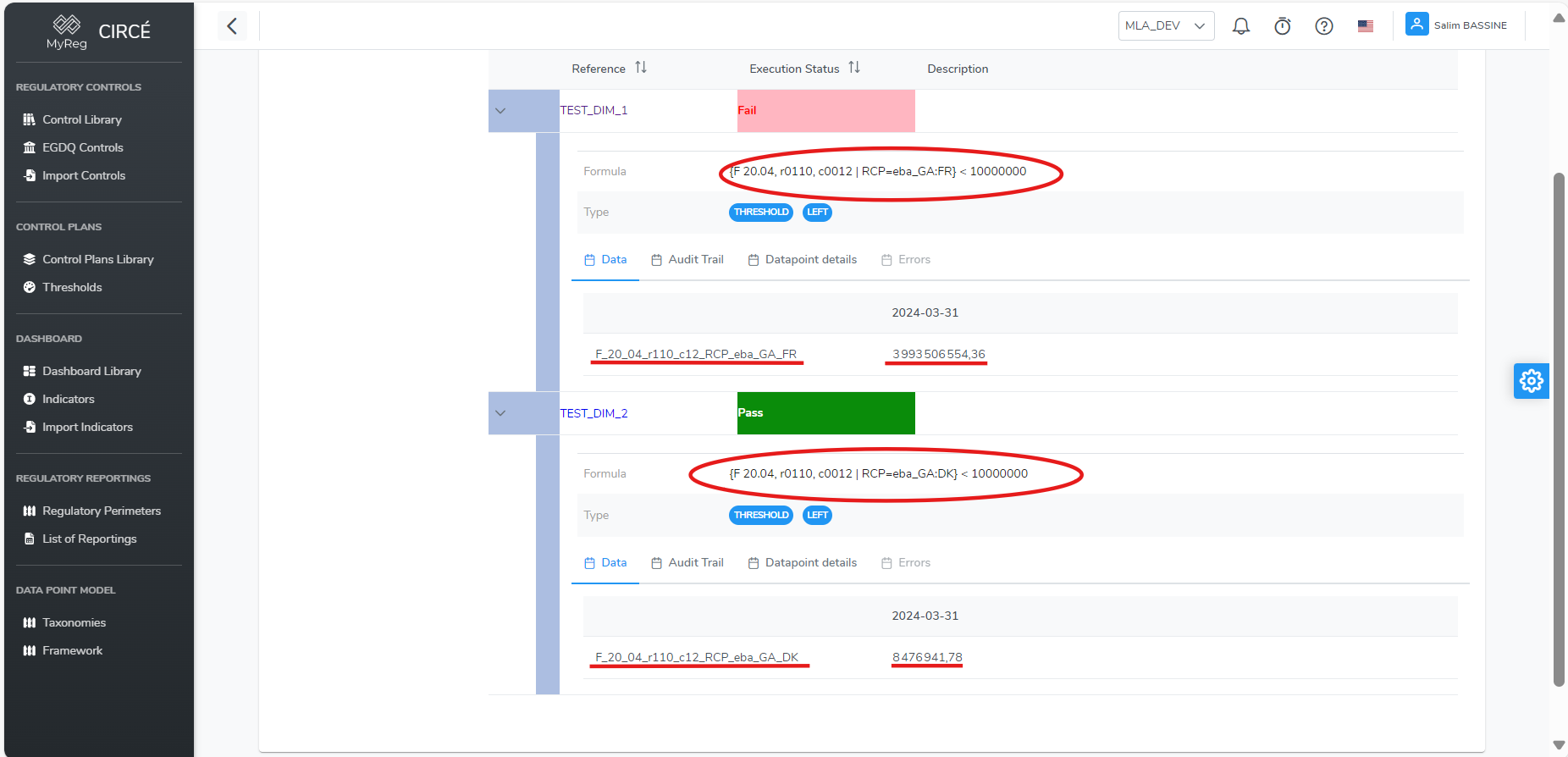
Some templates contain datapoints that require additional dimensions to be fully consistent. For instance for FINREP 20.04 Debt Securities for credit institution is split by Country : each reported country has it's own template instance with specific figures.
In order to specify additional dimensions to your control you have to add it at the end of the datapoints like this :
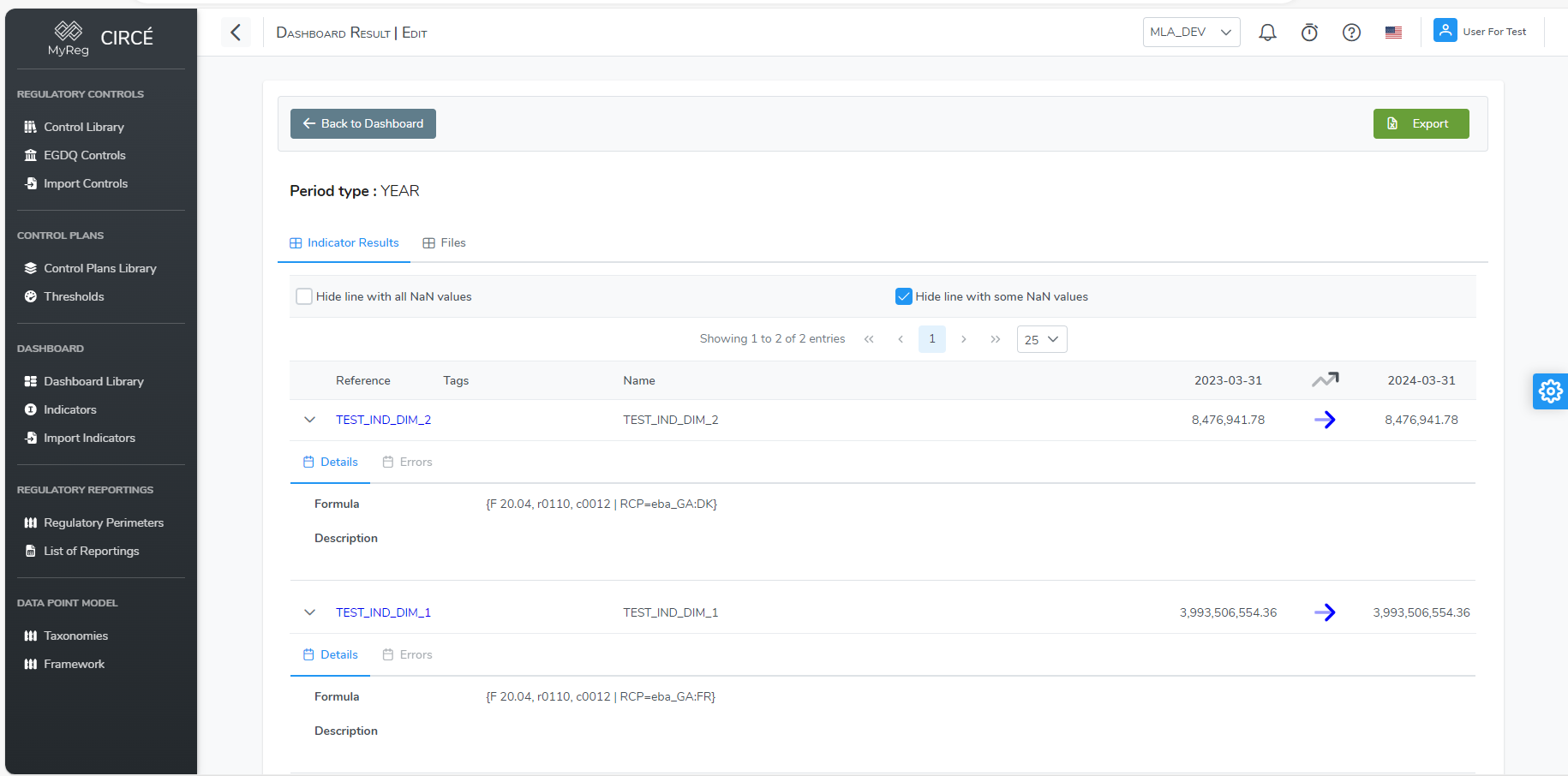
{F 20.04, r0110, c0012 | RCP=eba_GA:FR}{F 20.04, r0110, c0012 | RCP=eba_GA:DK}
If several additional are required, the following syntax has to be used:
{F 20.04, r0110, c0012 | XXX=eba_dim1:val1, YYY=eba_dim2:val2, ...}
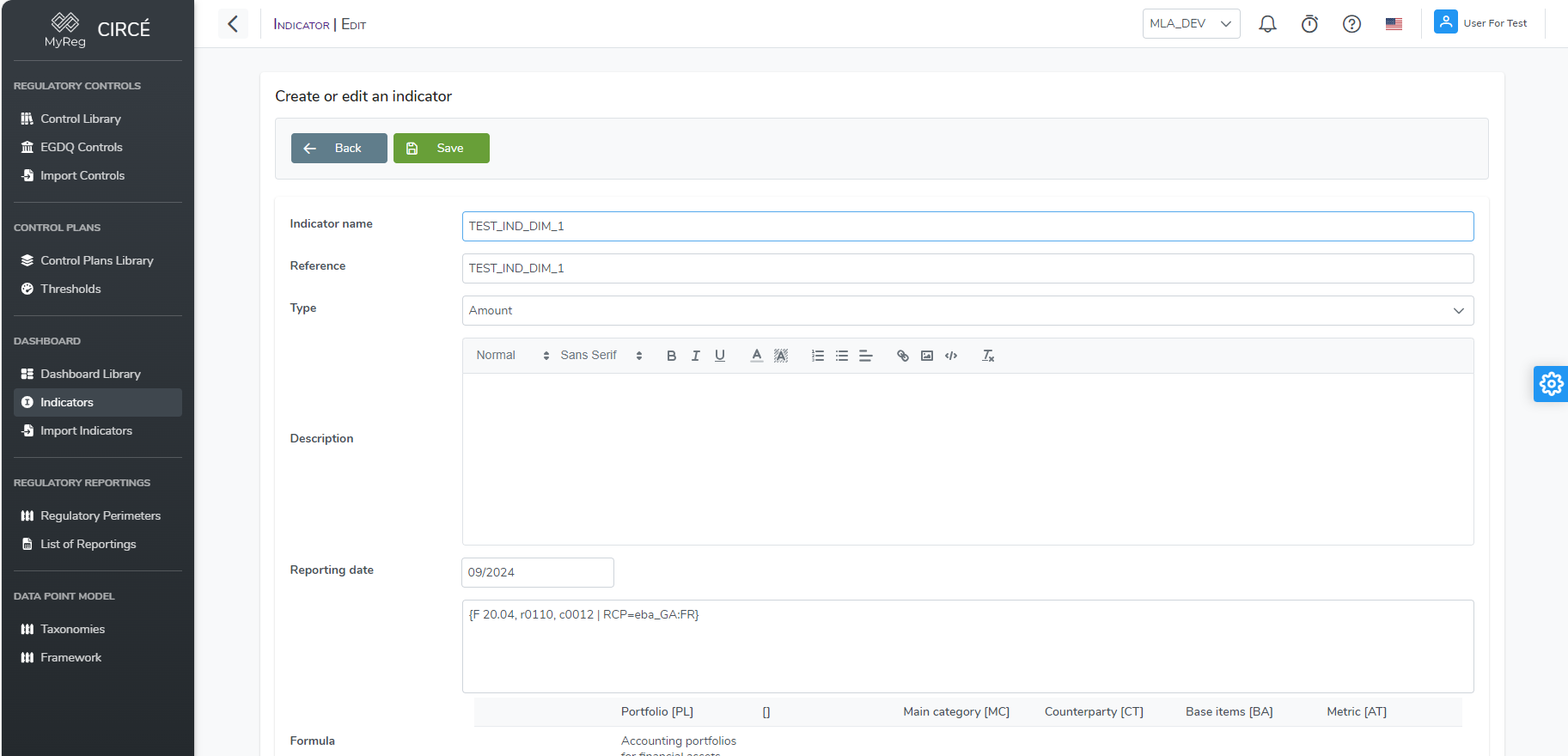
This kind of datapoints can be used in a control or in an indicator like any other datapoints. 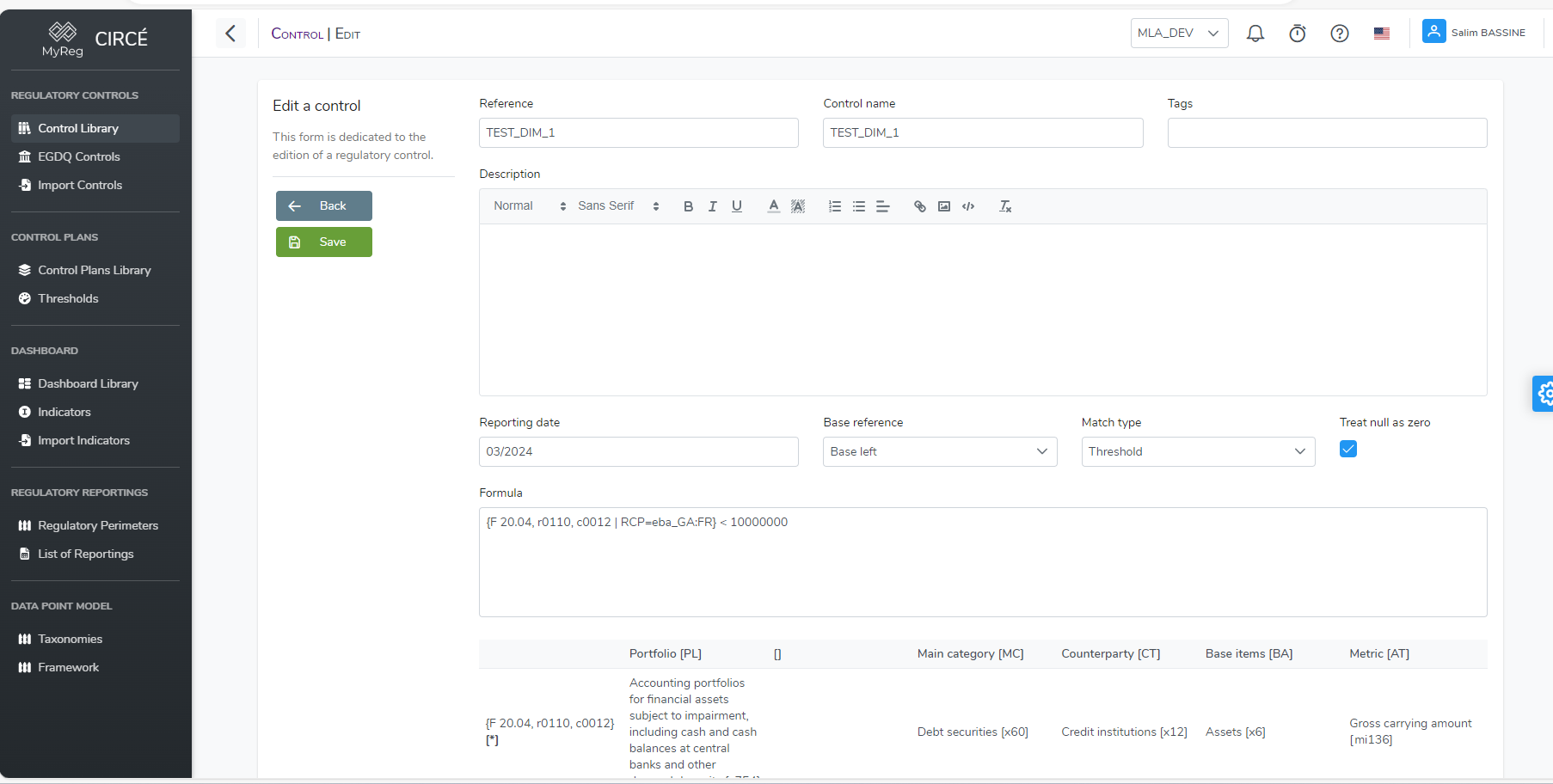
During the execution of the control plan or the dashboard, it will use and display only the value corresponding to the specified dimension.